
Image Information Viewer: A Must-Have Chrome Extension for Photographers

Are you tired of downloading images just to see their dimensions or what type they are?
I know I was!
So I built a free Chrome Extension to help us all out.
At PhotoCultivator, I’m always trying to make things easier for us photographers.
👉 Introducing ‘Image Information Viewer’, a 100% free Google Chromeadd-on that makes working with online images so much simpler.

What Does Image Information Viewer Do?
It’s a super light extension that adds a powerful feature to your browsing experience.
Simply hover over any image on any website.
A small, unobtrusive popup instantly appears, displaying key information about the image:
- Dimensions: See the exact width and height of the image.
- File Name: Quickly identify the image file without downloading it.
- Image Format: Know whether it’s a JPEG, PNG, or other format at a glance.
- Alt Text: View the alternative text associated with the image, if available.
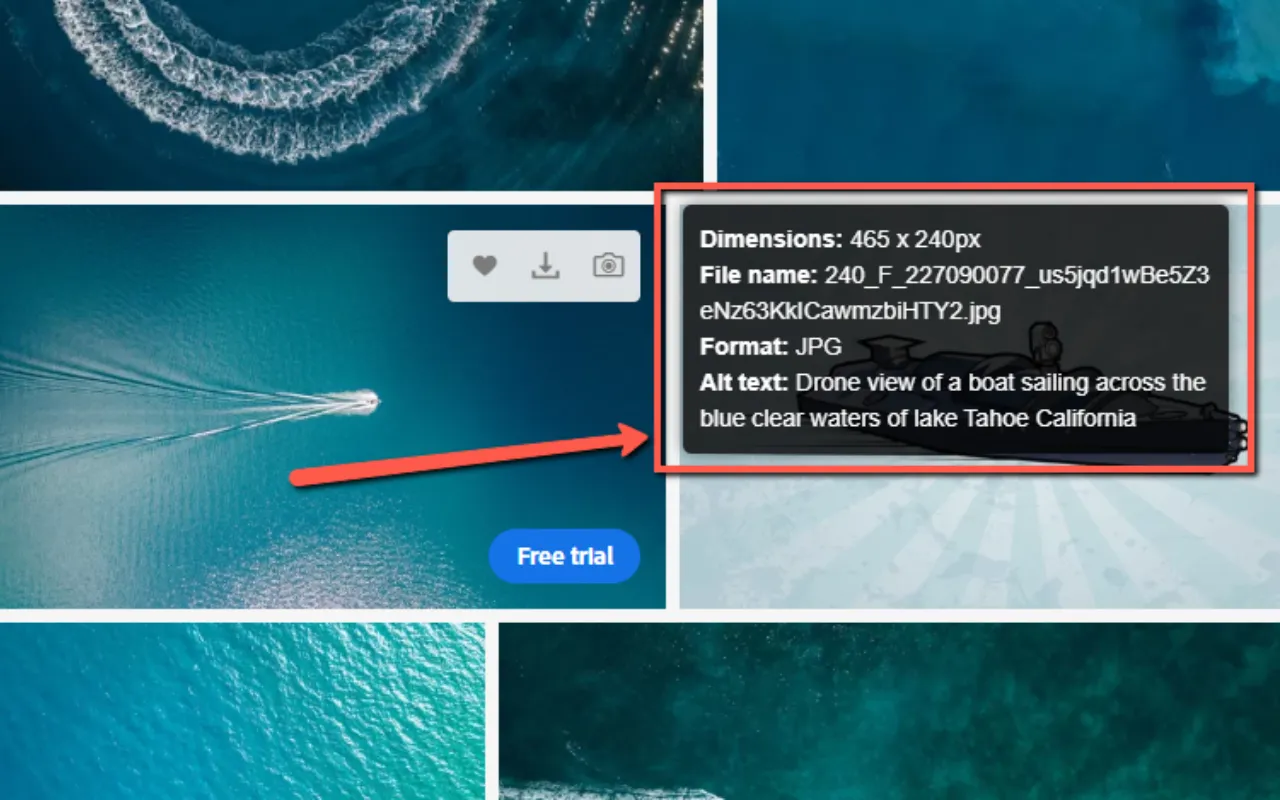 Image Information Viewer Chrome Extension - Hakan Ozturk @ PhotoCultivator.com
Why This Extension Is Helpful
Image Information Viewer will save you time and improve the way you search for image information on any website.
Here’s how:
- No More Downloads: Get essential image details without cluttering your downloads folder.
- Universal Compatibility: Works seamlessly on all websites.
- Instant Information: Access image properties with a simple mouse hover. Zero clicks needed.
- Lightweight and Fast: Doesn’t slow down your browsing experience.
Perfect for Photographers
As photographers, we often need to check image details.
Whether you’re researching other photographers’ work, considering stock photos, or managing your own online portfolio, this tool puts the most basic information you need at your fingertips.
Real-World Applications
Here’s how you can use the ‘Image Information Viewer’ in your daily workflows:
- Stock Photo Research Quickly assess image dimensions and formats when searching for the perfect stock photo for your project, without the need to download multiple options.
- Portfolio Audits Easily check that all images on your photography website meet your desired specifications for consistency and quality.
- Social Media Management Verify image dimensions to ensure they meet platform-specific requirements before uploading.
- Client Work Review Efficiently review client-submitted images to confirm they meet your project specifications without downloading each file.
- Competitive Analysis Analyze other photographers’ online galleries to understand their image sizing and format choices.
- SEO Optimization Quickly check “alt text” on images across your website to ensure proper optimization for search engines.
- Print Preparation Assess image dimensions to determine suitability for different print sizes without opening each file in editing software.
Transform Your Image Workflow Now!
Add ‘Image Information Viewer’ to Chrome - It’s FREE!
👉 One Click Install: No complicated setup, just instant image insights. 👉 Start Using Immediately: Hover over any image to see the magic happen! 👉 Risk-Free: Uninstall anytime if it doesn’t help with your workflow (but I bet it will!)
Don’t waste another minute downloading images unnecessarily or doing right-click/properties, etc.
Start working smarter today!
Your Feedback Matters
I’d love to hear about your experience using the ‘Image Information Viewer’.
Can you please:
- Rate it on the Chrome Web Store
- Leave a review
- Share your thoughts on its usability
Your feedback will help me further develop this extension.
Visit the extension’s Chrome Web Store page to rate, review, or provide feedback.
–Hakan, Founder, PhotoCultivator.com
Privacy Policy
As transparency and user privacy are important to me, you can check the privacy policy for the ‘Image Information Viewer’ Chrome Extension here.
By using this extension, you agree to the terms outlined in this privacy policy. If you have any questions or concerns, please don’t hesitate to contact me.